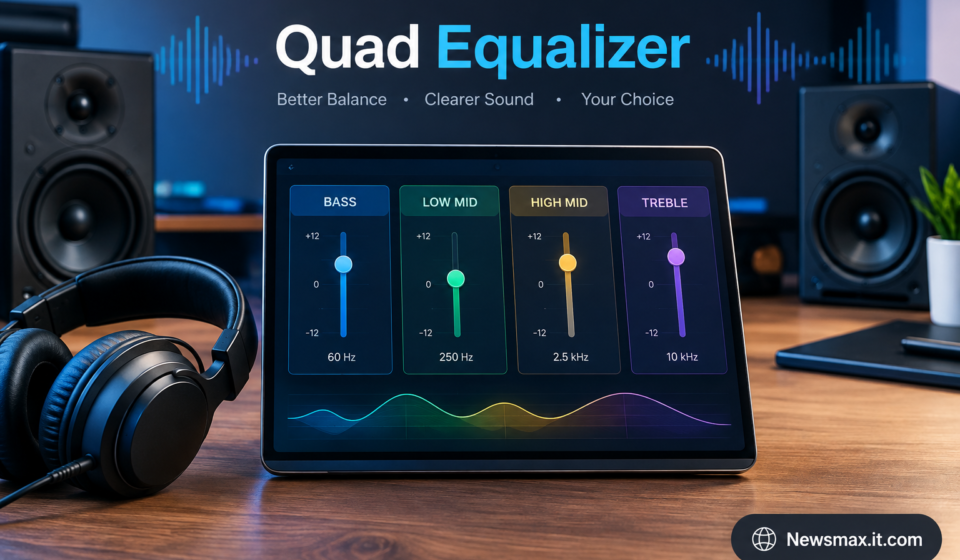

Good sound is not only about having powerful speakers or expensive headphones. The way different frequencies are balanced can make a noticeable difference to how music, podcasts, videos, and other audio content feel. A quad equalizer is one approach to adjusting sound by dividing the audio spectrum into four controllable frequency bands. It can be useful for listeners who want a simple way to shape audio without dealing with a large number of controls.
What Is a Quad Equalizer?
A quad equalizer is an audio equalizer with four separate frequency bands that can be adjusted independently. An equalizer, commonly called an EQ, changes the level of selected frequency ranges in an audio signal. Depending on the design, the four controls may focus on areas such as bass, lower mids, upper mids, and treble.
The main idea is straightforward: instead of changing the volume of the entire track, you can change specific parts of its sound. For example, increasing lower frequencies can make bass more noticeable, while reducing certain midrange frequencies can change how prominent voices or instruments sound.
The exact frequency ranges depend on the particular quad equalizer. Some are designed for music production, while others are built into audio players, amplifiers, car stereos, or software applications.
Is Quad Equalizer Easy to Use?
For beginners, a four-band equalizer is generally easier to understand than an EQ with many frequency controls. There are fewer settings to manage, so users can make broad changes without becoming overwhelmed by technical details.
How it works depends on where the equalizer is installed. A quad EQ may appear as four sliders, knobs, or digital controls. Moving a control upward typically boosts its assigned frequency range, while moving it downward reduces that range. A flat or center position normally leaves the signal close to its original level.
Compatibility is also important. A software equalizer needs to work with the operating system or audio application, while hardware EQs need to match the relevant audio connections and equipment.
Main Features and Applications
Four-Band Frequency Control
The defining feature of a quad equalizer is its four adjustable bands. Each band affects a particular portion of the audio spectrum. This gives users basic tonal control while keeping the interface relatively simple.
The four bands do not necessarily have the same frequency assignments across every product. Checking the manufacturer’s specifications is useful before making assumptions about what each control changes.
Bass and Treble Adjustment
Many simple EQ designs provide broad control over bass and treble. Bass adjustments can influence the weight of drums, bass guitars, and low electronic sounds. Treble adjustments can affect high-frequency details such as cymbals, brightness, and some vocal characteristics.
Small changes are usually easier to evaluate than large boosts. Listening after each adjustment helps users understand what a particular control is doing.
Midrange Shaping
The middle portion of the frequency spectrum contains important elements of many recordings, including vocals and numerous acoustic and electronic instruments. A quad equalizer can provide one or more controls that influence this area.
Midrange adjustment can be particularly useful when a recording sounds too crowded or when vocals need a different tonal balance. However, excessive changes can make audio sound unnatural, so moderate adjustments are generally easier to manage.
Music Production and Mixing
Quad equalizers can also be used during basic music production and mixing. They provide a quick method for making broad tonal corrections without opening a more complicated multi-band EQ.
For professional mixing, a four-band EQ may not provide enough detailed control for every task. Still, it can be useful for simple processing, quick adjustments, or situations where a straightforward interface is preferred.
Home, Car, and Personal Audio
Equalization is also common in everyday listening equipment. Depending on the device, a quad equalizer may be available through an amplifier, stereo system, car audio setup, headphone software, or media player.
The goal is usually to adjust the sound to suit the recording, equipment, room, or listener’s preference. The same EQ settings will not necessarily work equally well with every pair of speakers or headphones.
Why Do People Use Quad Equalizer?
Simple Sound Customization
One of the biggest reasons to use a quad equalizer is simplicity. Four controls provide enough flexibility to change the overall character of audio while avoiding a complicated interface.
Someone who simply wants a little more bass or less brightness can often make the adjustment quickly.
Correcting Unwanted Tonal Balance
Recordings and audio equipment can have different tonal characteristics. Some may sound overly bright, while others may appear heavy in the low frequencies. An EQ can help reduce or emphasize selected areas.
A quad equalizer is particularly suited to broad corrections rather than highly precise frequency surgery.
Matching Personal Preferences
People naturally have different listening preferences. Some enjoy stronger bass, while others prefer a more balanced or detailed presentation. Equalization gives listeners a way to customize sound without changing the original recording.
It can also be useful when switching between different listening environments or equipment.
Is Quad Equalizer Safe?
An equalizer itself is generally an audio-processing tool rather than something inherently unsafe. The main practical concern is how it is used. Large boosts, particularly when combined with high overall volume, can increase the output level and potentially create distortion or contribute to unsafe listening levels.
When using software or hardware EQ, it is sensible to make gradual changes and monitor the overall volume. If a setting causes clipping, harshness, or obvious distortion, reducing the boost or lowering the output level can help.
For software-based equalizers, users should also obtain applications from reputable sources and keep them updated. Hardware users should check compatibility and follow the manufacturer’s installation instructions.
Important Tips and Safety Note
Start with small adjustments rather than moving every control dramatically. Make one change at a time and listen to familiar recordings so you can clearly notice the difference.
It is also useful to understand the difference between equalization and volume. Raising a frequency band is not the same as simply turning up the volume, but excessive EQ boosts can still increase the signal level. If possible, keep enough headroom to prevent clipping.
When listening through headphones or speakers, avoid unnecessarily high volume for extended periods. Good EQ should improve the balance of a recording without requiring extreme settings.
Final Thoughts
A quad equalizer offers a practical middle ground between having no tonal control and using a highly detailed professional EQ. With four adjustable frequency bands, it can help beginners and experienced listeners make broad changes to bass, mids, and treble while keeping the controls relatively easy to understand.
Whether it is used for music, home audio, car sound systems, or basic production work, the best approach is to make modest adjustments and listen carefully. A simple EQ can be surprisingly useful when it is used with a clear understanding of what each frequency control affects.